View the SS420x status
-
Select the Control bar in the Navigation pane and click on Instrument Status.
-
To display the status, select Status in the Home or Method ribbon.
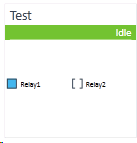
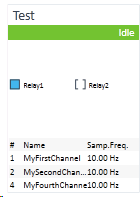
The following status items display: | |
|
|
If status display is shown in expanded view, the following items will be displayed in addition: | |
|
|
If the instrument cannot connect to the module, because of wrong configuration settings (for example, two instruments connect to a module with same RS232 port, but different Base Frequencies have been set on both instruments), an error message will be displayed on top of the status display. Moving the mouse over this error message will show a more detailed error description.
base-id: 8823518859
id: 8823518859