Change order of formulas in the CC file
OpenLab CDS allows you to define the order in which Custom Calculation results appear in the injection results of the Data Analysis.
Prerequisites
|
Select a Custom Calculation formula and re-arrange its position by using the arrow buttons next to table:
Click
 or
or  to move it one position up or down, respectively.
Click
 or
or  to place it at the top or bottom, respectively.
For example, select CC3 and click
to move it to the top of the results.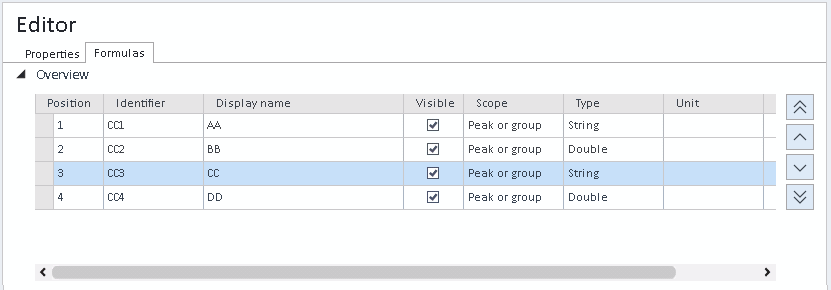
-
Save the Custom Calculation file and make sure your Data Analysis processing method uses the correct version.
-
Reprocess the injections.
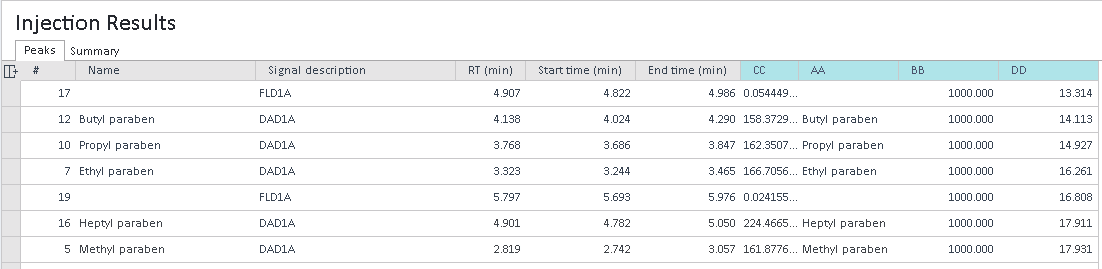
In the Injection Results, the Custom Calculation results are displayed in the specified order.
See Also
base-id: 9502049803
id: 27021607266272779