Configure an OpenLab Project
Projects used for an Oligonucleotide Purity and Assay analysis must meet specific requirements. Follow the steps below to ensure that all settings are complete.
Prerequisites
|
In the Oligo Analysis Accelerator (OAA) web interface on the Data Selection tab, select the relevant project.
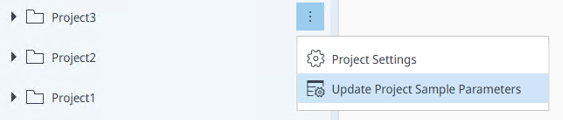
Click the three dots next to the project name, and select Update Project Sample Parameters.
The application creates the following sample custom parameters:
Name
Type
Lot number
Text
Moisture result #1 (%)
Numeric
Moisture result #2 (%)
Numeric
Density
Numeric
Sample prep. volume
Numeric
Preparation factor
Text
Enter Volumetric or Gravimetric
Assay low limit
Numeric
Assay high limit
Numeric
Label claim
Numeric
If a parameter already exists with a wrong type, an error is shown. To fix sample custom parameters, edit the project in OpenLab Control Panel (see Sample Custom Parameters)
A chemist or technician will fill in the values for each sample when preparing the sequence in the Acquisition client.
base-id: 11123967755
id: 18014409633449739